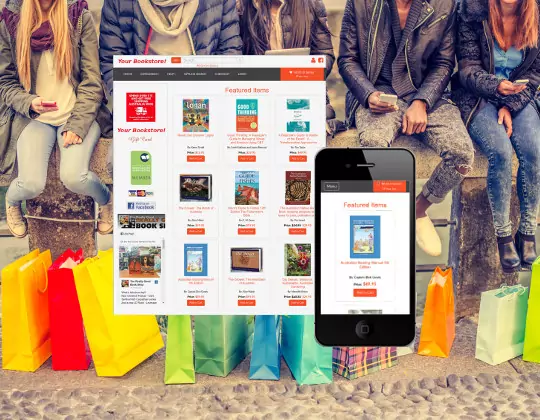
Chrislands' Frequently Asked Questions (FAQ)
General Questions About Chrislands Store service- What does the Chrislands Store service include?
- How does Chrislands Store Service compare to competitors?
- How much does the Chrislands Store service cost?
- How much computer knowledge is required?
- Can I upload my items from my current database program?
- Can I have my own domain name?
- If I already have a domain name, how hard is it to convert my site to the Chrislands Store service?
- Can I personalize my Store?
- Do I need to be a US Merchant in order to use this service?
- Are there any restrictions on what I can sell?
- What are the steps required to get started?
- What happens when I submit an application?
- How does the store work?
- Can I make changes to my store?
- What types of payments can I accept through my store?
- I don't have a Merchant Account can I still accept credit cards?
- Can I use any Merchant Account provider I want?
- Do ChrisLands built stores work with Google Checkout?
- Do ChrisLands built stores work with PayPal.com?
General Questions About Chrislands Store service
Q1: What does the Chrislands Store service include?
A: Chrislands Store Service includes a complete online store for one low price. Features include:
- A professionally designed store with integrated shopping cart.
- Chrislands hosts and maintains your site - No costly server fees for you.
- Chrislands provides all the software to support your store on our servers.
- You have no software to purchase or install.
- Chrislands integrates with your inventory program.
- No technical expertise required - you follow simple step by step instructions.
- Chrislands Store service works with your current payment methods.
Q2: How does this Chrislands Store service compare to competitors?
A: Nobody offers anything that is even close to what we offer. Some of the significant points of difference between our offering and our competitors:
- Great prices!
- Professionally designed Store and shopping cart system.
- Store administration tools.
- Your items displayed by category.
- Your inventory is fully searchable from within your own store.
- Complete order processing.
- Status of orders tracked throughout fulfillment process.
Q3: How much does the Chrislands Store service cost?
A: Monthly fees start at just $24.99 a month. Click here for the entire fee schedule.
Q4: How much computer knowledge is required?
A: No special computer expertise is required beyond hands-on experience using your own database program and being able to access the Internet.
Q5: Can I upload my items from my current database program?
A: Absolutely. Integration with your current database program is a feature that distinguishes us from other online store services. Updating your own online store is done in the same manner as you update your listings on other selling services like www.abe.com. You can upload/update your inventory by FTP or browser upload. Chrislands supports uploading from the following programs.
- Homebase - Recommend
- FillZ.com - Recommend
- Basil
- BookHound
- Bookmate
- BookRouter.com
- BookTrakker - Recommend
- Readerware
- theArtofBooks.com
- Any program that can export in UIEE format
- Any program that can export in our tab-delimited format
- Any program that can export in our comma-delimited format
Q6: Will my book store have its own domain name?
A: Yes. If you already have a domain name, then we can use your current domain name. If you don't have a domain name, then Chrislands will help register a domain name for you (you can choose any .com, .net, or .org domain name that is available, such as www.YourBookStoreName.com)
Q7: If I already have a domain name, how hard is it to convert my site to the Chrislands Store Service?
A: Switching to Chrislands Store service is an easy process. We will assist you in setting up your domain name to work on Chrislands Servers. When you complete the online application for our store service you will provide us the information needed to start building your store. We will normally have your store operational within 5 to 7 business days. After the store is operational, it is just a matter of uploading your inventory from your database program.
Q8: Can I personalize my Store?
A: Our service offers you a number of ways to personalize your store, including:
- Company logo
- Home page message and graphics
- Custom categories
- Privacy Statement
- Links Page
- About us page
- Contact us page
- Store policies page
- Off-Line Search Service Page
- Frequently Asked Questions (FAQ) Page< br>
- You can add your own web pages
Q9: Do I need to be a U.S. Merchant in order to use this service?
A: No, we are offering our service worldwide.
Q10: Are there any restrictions on what I can sell?
A: You cannot use this service to engage in the selling and/or distribution of specific types of goods/services, such as:
- Illegal substances and activities
- Gambling and pyramid schemes
- Products and services that infringe on copyrighted property of others
Questions about Getting Started
Q1: What are the steps required to get started?
A: 6 simple steps
1. Fill out the online application, and submit your payment information.
2. Wait 5 to 7 business days as we build your online store.
3. Review your online store and update any information from the store administration area.
4. Upload your database inventory.
5. Promote your online store address to your existing and prospective customers.
6. Process your orders.
Q2: What happens when I submit an application?
A: You will receive an email confirmation that we received your application and we will immediately begin building your online store. We will notify you by email in 5 to 7 days when your store is complete and online.
Q3: How does the store work?
A: The following steps outline how your store will operate.
- Promote your online store address to your existing and prospective customers.
- Customers visit your online store and select items for purchase.
- Once customers have added all the items they want to purchase to their shopping cart they proceed to the check out.
- Customers provide billing, shipping and payment information and click the "Check Out" button.
- Email is sent to the seller notifying the seller of the sale.
- Seller logs in to account administration to retrieve payment, shipping, and order information.
- Seller processes payment.
- Seller ships item(s) .
Q4: Can I make changes to my store?
A: You can manage your store from the store administration area. You can make changes by simply pointing and clicking. You have total control over the administration of your store.
Questions About Accepting Online Payments
Q1: What types of payments can I accept through my store?
A: You can accept any method of payment you want. You have total control over what type of payments you choose to accept.
Q2: I don't have a Merchant Account can I still accept credit cards?
A: We can direct you to a low cost payment processing service that will allow you to process credit card payments.
Q3: Can I use any Merchant Account provider I want?
A: Yes. You have total control over your payment processing
Q4: Do ChrisLands built stores work with Google Checkout?
A: Yes. The stores are integrated with Google Checkout. You have the option to use Google Checkout.
Q5: Do ChrisLands built stores work with PayPal.com?
A: Yes. The stores are integrated to work with PayPal. You have the option to use PayPal's Website Payments Pro or PayPal's Website Payments Standard with the store.
Click Here to Sign Up!